Showing posts with label KD5NJR. Show all posts

Wednesday, September 16, 2009

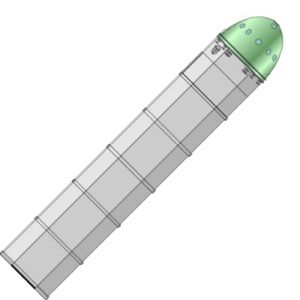
What Is This ?


What is this ? There are these holes and all ?!?

Tuesday, September 15, 2009

Balloons, File Sharing, Old Satellite Dishes, Ham Radio

Passing traffic via wi-fi connection from neighboring ham to ham to ham might be viable if a disaster ever took down Cox or your Internet provider.

http://www.enquirer.com/editions/2004/08/05/loc_wifiteens05.html


And these young folks did it with surplus materials.

Substitute a 4,600 ft mountain with a balloon-mounted wireless router and you could probably exceed their record of 50 miles...

Just a thought ...

Monday, September 14, 2009

A Newer Take on The Ham Balloon Problem

Okay, if I separate the web-link with blank lines, I'm told it's clickable, so here goes:

http://nw5w.com/journal/?cat=11

Link above for NW5M's balloon project. Uses a newer, more popular microcontroller and Canon cameras among other changes.

I'll go over my take on these developments if anyone's interested. I wanted to do something like this once, but couldn't find a lot of support locally.

73
KD5NJR
Scott

Saturday, August 22, 2009

Hams, Astronomy, Youtube and Facebook

While Ham might be considered to be best served with a pineapple glaze (I see that in pictures, I prefer mustard myself) I think ham radio is best served with a side or what ever else you like to do.

I've heard of
a) Hams and eggs
b) Hams and camping
c) Hams and balloons
but here is a new one:
d) Hams and Astronomy

Along these lines: A good video of one ham's telescopes and his radios. follows below:


www.youtube.com/watch?v=C8vdLKsBB3s&feature=channel


Oh, yeah: For finding and keeping up with Hams, consider Facebook.
You can be my friend. So are a lot of other like-minded folks.
I think putting stuff on Facebook is a way to stay better organized than just emailing links.


www.facebook.com/KD5NJR


73
Scott
KD5NJR

Sunday, August 9, 2009

DX Sherlock

Hey guys.

Check out this DX-Sherlock web-based propagation tool.
LINK:
http://www.vhfdx.net/spots/map.php?Lan=E&Frec=28&Map=NA&mycall=&myloc=&freq=&prop=

Click for North America.

Click your band. (example: 10m)

Take a look at QSOs recently reported. If you talk to someone, post using the form below.

Enjoy.
Scott
KD5NJR

(Jimmy KD5ZVE, told me about this.)

Saturday, August 8, 2009

2m SSB.

Well, it's been a few days now, how did folks like Jimmy's (KD5ZVE) presentation on 2m SSB ?

Anyone interested in SSB operation on these shorter wavelengths ? I think it might be a reliable way to talk simplex across town or into other regions like Springfield, Dallas, Kansas City, etc.... Seems like that isn't always possible on 10m. And you have to resort to NVIS antennas to do the same on 80m or you'll skip over your target, right ? I'm thinking that unless you're working real DX with Tropo or sporadic-E, 2m is a little more stable than HF for everyday, local use.

Anyway, let's see if we can schedule QSOs. 144.200 is calling and 144.220 and 144.250 hold the nets as I recall. I talked with Gerry tonight, and I think he is going to bring a pair of halos online soon. ( I originally bought them from Howard, WB5JIO, Downtown Tulsa, SK)

Both Howard (years ago) and Jimmy (on Monday) mentioned 200 mi. QSOs between cars @ 100 W going to hamfests on 2m SSB using the Halo antennas. These aren't big antennas. I'm sure there is a way to hide them in a neighborhood. Seems like a halo or Big Wheel (3 halos spread like a sunflower) would be the start (the perch part) of a fake bird-feeder. ;)

I ran a 2m and 440 Mhz SSB setup once for experimentation with the FO-20 Satellite five or six years ago. Made 1 contact to Tennessee and decided if I was going to get serious, I'd have to get computer assisted tuning (doppler correction) and computer assisted Yagis. But, I fell behind in the latest-greatest computers, never got my antenna tower and fell in love, oh well. I'll have time someday. Provided the kids don't break the bank. But, that exercise did give me the opportunity to talk on my 3-ele. Arrow Antenna yagi "horizontally" and use a 440 Mhz halo for receive.

But like Jimmy said, if you can get a Big Wheel or something up 15 to 30 ' that would get ya started. Maybe I'll have to give it another shot. Who's with me ??

Stay tuned Monday Night Net for more details.

73
Scott
KD5NJR

Saturday, June 13, 2009

Good luck Kevin and Jessica

Good luck Kevin (KD5RHF) and Jessica on their wedding day !!!

My wife and I gotta be home today to meet the nurse for a blood draw, to feed the little one every 2 hours ( if he likes it or not) and keep him under his UV lights..... bummer, hum !

Thursday, June 11, 2009

Listening to the Repeater


A couple of you guys have been listening in to the repeater when I've worked a station during "feeding time". Sorry for the background noise.

Monday, May 25, 2009

New Posts

If anyone is interested, I put some new stuff on my blog, kd5njr.blogspot.com

Leave a comment if you like. I'm always looking for stuff (blogs, web links, etc.)

a) topics for nets.
b) space, astronomy, aviation stuff
c) ham stuff

73
Scott

Tuesday, February 17, 2009

Local Area Networks


Above: Some common LAN designs. Cick sketch to enlarge.

So, I found myself doodling around a bit with the pencil and grid pad...

If you're reading this blog, then of course, you computer is connected to the Internet.
And, if you're not using an internal modem or an external modem with a serial cable, then you're using a Local Area Network (LAN.)

A popular format for these networks is the Ethernet (IEEE 802.11) using CAT-5 cable. That is what I'm showing at the top of the sketch in Figure (a). You've got a PC, a modem (cable or DSL for phone) and a small Ethernet hub to connect them together. Sometimes, the hub (or a small IP switch) is built into the DSL or cable modem. From their you go across the cable or phone company until you get onto the Internet.

A more complicated (and cooler because it uses RF) solution let's you access the Internet without running a network cable from the PC to the modem. In these "wi-fi" or wireless networks, a popular format is IEEE 802.11g. Many folks have those small blue Linksys WRT54G boxes and wireless cards installed in their computers. Did you know that these units share spectrum with the 2.4 GHz ham band ? The "wireless access point" (aka wireless router) typically contains antennas (1 or 2) an IP router (more about that later) TX and RX equipment and a few Ethernet ports. Being microwaves, you're mileage may vary, but you can get around 100' of range or so. Compare that with 300 ft. for the CAT-5 cables. Not bad.

Figure 'C' shows a DeLuxe setup. Long story short, you can use hubs and switches to segment your network by location or by task. Note I put in a dedicated AP for the Ham Internet (Hinternet) http://en.wikipedia.org/wiki/High_speed_multimedia

I've been reading up on what can be done with the Hinternet. I mentioned one club's experiments in a previous post. I'll report back with more later.

In the meanwhile, how advanced of a wifi setup do you have now ?
My setup strongly resembles Figure B.
I know a couple Hams that work from home that have setups more like C.
If you're back at Figure A and have questions, please let me know.

73
Scott
KD5NJR

Monday, February 16, 2009

Hams do wi-fi to/from airplane and other places

Take a look at this webpage:
http://www.yars.org/wifi/
and for some more background
http://www.arrl.org/tis/info/HTML/high-speed-digital/
and of course, a wiki entry on the "Hinternet" "Ham" + "Internet"
http://en.wikipedia.org/wiki/High_Speed_Multimedia

I've got some thoughts on using this technology in amateur radio locally. I'm mulling over how to compress and summarize them into bite-sized 'blog-ready' format. Some of you guys have a 'preview' version in your email in-box.

Out of curiosity, have any of our number worked with wireless LANs (802.11 b/g) much ?
I suspect a lot of folks have the popular Linksys WRT54G plugged in right next to the cable modem...

I will make the assumption most everyone reading the blog does so over DSL or cable connections... any folks using Starband, rural wireless (ex: Atlas Broadband) or other alternatives to dial-up ?

73
Scott
KD5NJR

Saturday, February 14, 2009

The BIS Lunar Lander


Above: BIS Lunar Lander Capsule
(Another drawing from Air & Space Smithsonian )

Mark Wade's drawing of the BIS Lunar Lander seems to come and go from the previous blog posting intermittently. Stan has reported it too, so click on the previous link and you'll see the drawings. Link
Click here
: for a similar article from Air & Space Smithsonian, which is a favorite magazine of mine.
http://www.airspacemag.com/space-exploration/moon.html

The Lunar Lander wasn't the end of the BIS. ( They are still around and produce the detailed magazine Spaceflight, which used to be available at Barnes and Nobles. ) Additional work was put into maps of the Moon. Theoretical work was also laid down for a journey to a star, Project Daedalus. Someday....

73
KD5NJR
Scott

Dreaming is Good


As an engineer, most of the questions I have (at work) get answered clearly.
Yes, this is a good idea, or
No, that isn't a good idea.
Link
And those statements get backed up by my boss or myself with clear justifications, such as:
This solution costs too much, or
This solution takes too much time, or
That standards drawing says to do it "this way", or
The equations say otherwise...

And that's okay, but sometimes you have to dream.
Like these guys did:
LINK:
http://www.astronautix.com/craft/bisander.htm

WAY BEFORE Apollo 11 went to the moon, these Brits were making the arguments, drawings, plans, anticipating problems and all that good stuff about flying the moon with over 2,000 solid fuel rocket engines.

You might know one guy, Arthur C. Clarke. He went to a club called "The British Interplanetary Society". They didn't have a repeater, but I bet they were neat guys. Later on, he wrote "2001" the Stanley Kubrick movie. He worked with radar and smoke screens in WWII.

I'm not saying to run out and catch yourself on fire, but sometimes it's okay to dream.

You don't have to own the best gear, just be safe. The QRP guys know this. They don't spend a fortune on stuff. Nor are the rigs necessarily of the 'latest and greatest' design (is there DSP in QRP rigs?.... well even if there is, you get my point.)

Volkswagen owners would sum up my point as "it's not pretty, but it gets you there."

Nike would say, "Just Do It."

Saturday, January 31, 2009

"HF Packers"

WA5PSA was mentioning QRP operations on the Tulsa Tech Net Friday evening these folks that combine backpacking with amateur radio.

Here http://www.hfpack.com/ is the link for their website. Maybe you'll find them on 60m or 17m. They hold nets down there.

73
Scott

Monday, January 26, 2009

QuiteBASIC

Okay, remember the TRS-80 and machines that booted up into an interpreter for the BASIC language on start-up ? You could get right down to doing stuff.

Try this. http://www.quitebasic.com/ ... It's fun and easy...

1) Cut 'n paste your program into the BASIC program box.
2) Hit the RUN button in the Controls box.
3) "Instantly" see your output in the Output or Canvas Box.

example:
10 Print "Hello World."

or here is a bit longer program that threw together quickly.

10 REM Scott Haley KD5NJR

20 REM SWR program
21 Let F = 0
22 Let R = 0
23 Let T = 0
24 Let B = 0
25 Let S = 0

30 Input "Enter Forward Power"; F
32 Input "Enter Reverse Power";R

40 REM SWR= [1 + sqrt(r/f)] / [1 - sqrt(r/f)]
41 Let T = 1 + sqr(R/F)
42 Let B = 1 - sqr(R/F)
43 Let S = T / B

50 Print "SWR is computed :"
51 Print S

60 END

Try it out and lemme know how you like it ?

1. Erase out the existing program from the text box.
2. Use cut 'n paste to easily put the new program in.
3. Press Run.
4. Enter a value like 15 for 15W Forward Power.
5. Enter a value like 0.1 for 0.1W Reflected Power.
6. Program gives 1.17 for SWR.

Do you have any other quick jobs or common applications that you could use QuiteBASIC for ?
I think it might be good for jobs small enough you don't need an Excel spreadsheet for.
Or need a more complicated program for.

And, you can share code with others.

73
Scott
KD5NJR

Tuesday, January 20, 2009

Brainwagon

Mark / K6HX from the Brainwagon blog is pretty sharp guy from the looks of things.

Here's a sampling
of some work he's done receiving weather satellites.

I think that is going to have to go up there on my to-do list. Looks interesting.

LINK: http://brainwagon.org/category/amateur-satellite/

I'll let you know as I find more interesting stuff.

73
Scott
KD5NJR

Listen to LUSAT-Oscar 19

LUSAT - Oscar 19
http://www.amsat.org/amsat/sats/n7hpr/lo19.html

This looks pretty easy and fun.
AE5FT / Gene tried step one this afternoon.

1) Tune an HT or another 440 MHz rig (preferably with an outside) to 437.127 MHz. (or 437.125 if that is as close as you can get.) FM simplex. Turn your squelch OFF. You're going for a signal that sounds like the mp3 file at the Brainwagon blog: http://brainwagon.org/2008/01/20/decoding-lo-19-telemetry/

(I've been able to copy this signal from the easy chair before. But I get hung up here 'cause of the code.)

So you don't leave the radio on all day, here's some flyby times for Tulsa.
ate (UTC)AOS (UTC)DurationAOS
Azimuth
Maximum
Elevation
Max El
Azimuth
LOS
Azimuth
LOS (UTC)
21 Jan 0910:01:0700:13:5825278116610:15:05
21 Jan 0911:40:3000:13:5402930522111:54:24
21 Jan 0919:43:4200:03:16641513819:46:58
21 Jan 0921:15:5900:14:11140318635921:30:10
21 Jan 0922:55:2400:14:041952725233423:09:28
22 Jan 0909:30:4400:12:1635149514709:43:00
22 Jan 0911:09:1300:14:5186029020411:24:04
22 Jan 0912:50:3200:08:54340629826512:59:26
22 Jan 0920:46:0100:12:381221763720:58:39
22 Jan 0922:23:4800:14:571775526034322:38:45


2) Take some really good notes of the three-character groups that come after the E LUSAT HI HI intro. (Or, try some screen shots of a waterfall or oscillograph display from your sound card ham software or Audacity podcast software.)

3) There is a lookup table to go from the letters to telemetry values (numbers).

4) Then, you put the numbers into some formulas to scale them into voltages and temperatures in the satellite.

Which sounds pretty cool. You can see what's going on in the belly of the beast. I'm going to get set up to repeat this process. If you beat me to it, send me your screen shots and I'll give you hand with the rest.

I wonder how difficult it would be to homebrew something like this bird ?

73
Scott
KD5NJR

Sunday, January 18, 2009

NASA to test future Mars Base on Antarctica


LINK: http://www.spaceref.com/news/viewpr.html?pid=24027

I'm looking forward to working these guys on HF perhaps someday.

... from spaceref.com

Sunday, January 11, 2009

The Saturday Night 10m Net - Updated

Update...

The new frequency for the 10M NET is 28.355 USB
This move was required to avoid a high pitched squeal
Contact Ray(KC5WSI) if you have any questions.


It didn't take a lot of work to make it happen, but I was able to check into KC5WSI's 10m net this past Saturday night at 7p. It was on 28.350 MHz USB.

I had a Hamstick vertical antenna on the top of the truck. I drove it with an ICOM 706MKIIg. I suspect about any HF rig would do as I was running only 30 or 40 Watts (until I get my SWR on the antenna a little better.)

The net attracted mostly local folks (Tulsa, Waggoner, Creek, Rogers counties.) But I think there is the potential for other states to roll in.

I'd encourage all the Techs, Generals and Extras to give this activity a shot.

A Russian Drifting Station


LinkLINK:
http://swl4x42238.blogspot.com/2007/07/rw1ai-as-r35np-drifting-station-north.html

Imaging exploring the Arctic by getting locked in the ice and just drifting along until it thaws and lets you loose... Probably radio is the contact with the outside world...